Destroy Gunners ZZ APK Download & Community

Community Server

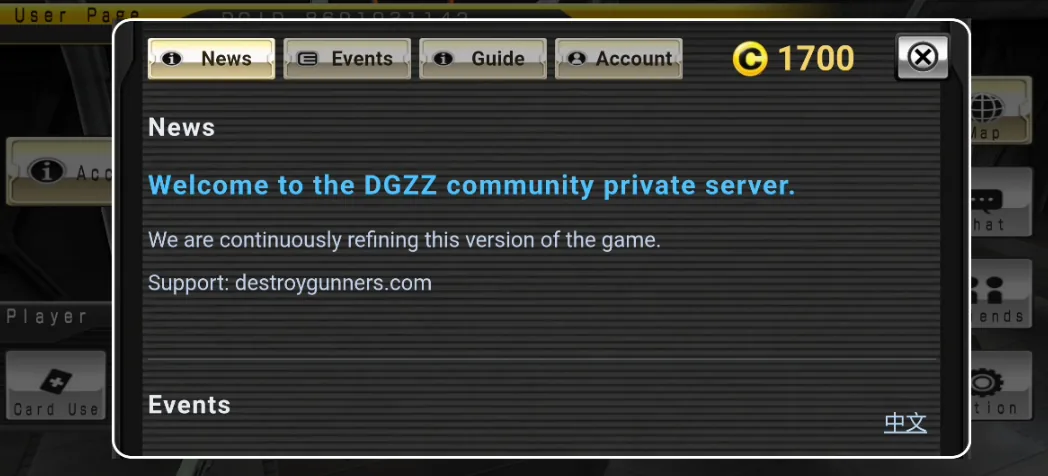
Community Server 3.0.0c is available

A private server edition with account registration, cloud saves, friend support and PvP against other players. New accounts start with 2,000 coins, with events held regularly. Supports Chinese, English and Japanese.

Test download · Build142
Release notes3.0.0c Community Server · Build 138 (2026-11-03)
  • Lobby chat: text and emoji, with nickname support. Open it using the lobby Chat button.
  • Updated Account layout and chat interface. Send errors are shown only when needed.
  • Compatibility improvements are included in the regular release. The separate Build127 test download has been removed.

3.0.0c Community Server · Build 126 (2026-11-02)

  • Translated 66 more tutorial and help messages, restored the Account nickname editor, and fixed friend searches using the wrong player ID.
  • Chinese, English and Japanese can be selected in the game settings. Restart to apply.
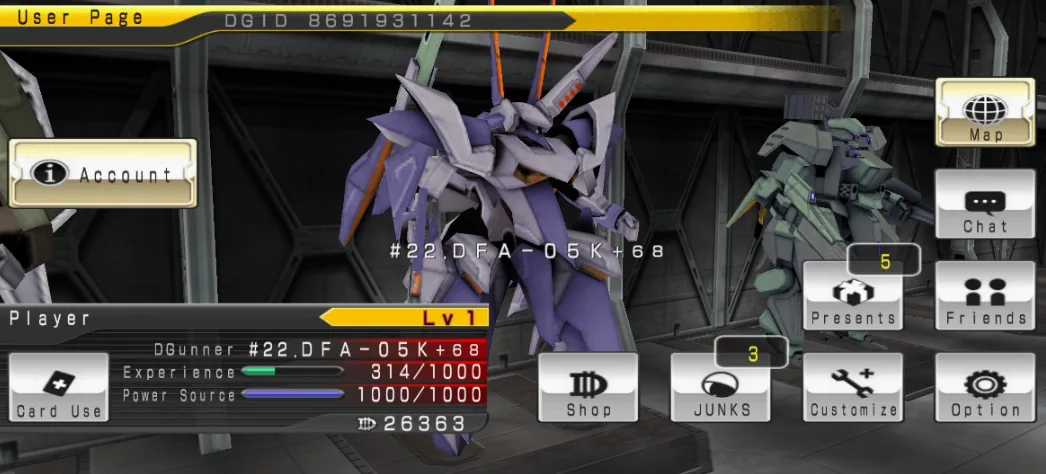
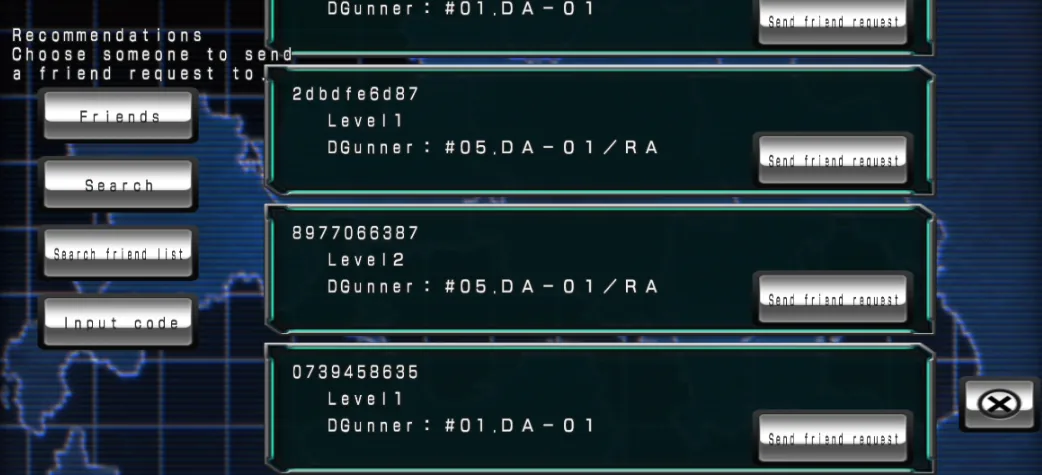
  • Create an account to sync progress across devices and add friends for wingman support.
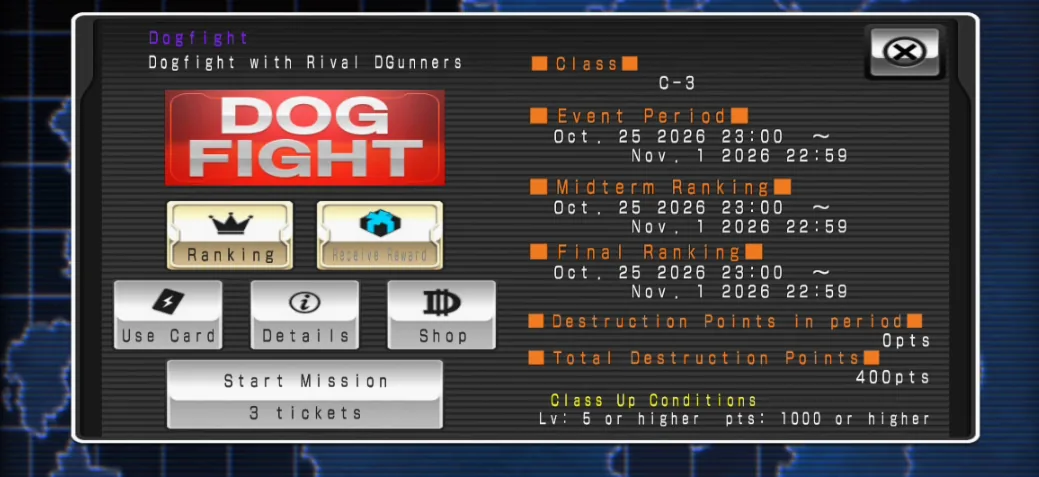
  • Dog Fight is open, with weekly seasons. Training BOTs fill in when no suitable player is available.
  • Updated purchase feedback and fixed recovery of paid orders.
  • Optional update reminders are shown when a newer build is available on this website.
  • Daily login rewards: claim today’s reward in the lobby or Account panel. Missed days expire.
  • New accounts start with 2,000 coins. Mecha keep their normal unlock requirements.
  • Account switching now loads the matching save. Update the original device and confirm progress is synced before moving to another phone.
  • Open Account for news, events and guides. An internet connection is required; testing is ongoing.
  • If the game crashes or reports a save-data error, first confirm your account is linked and your progress is synced. Then try uninstalling the old version, deleting data/net.gree.android.pf.greeapp58559a from device storage, and reinstalling. Unsynced local progress will be lost.

Mecha

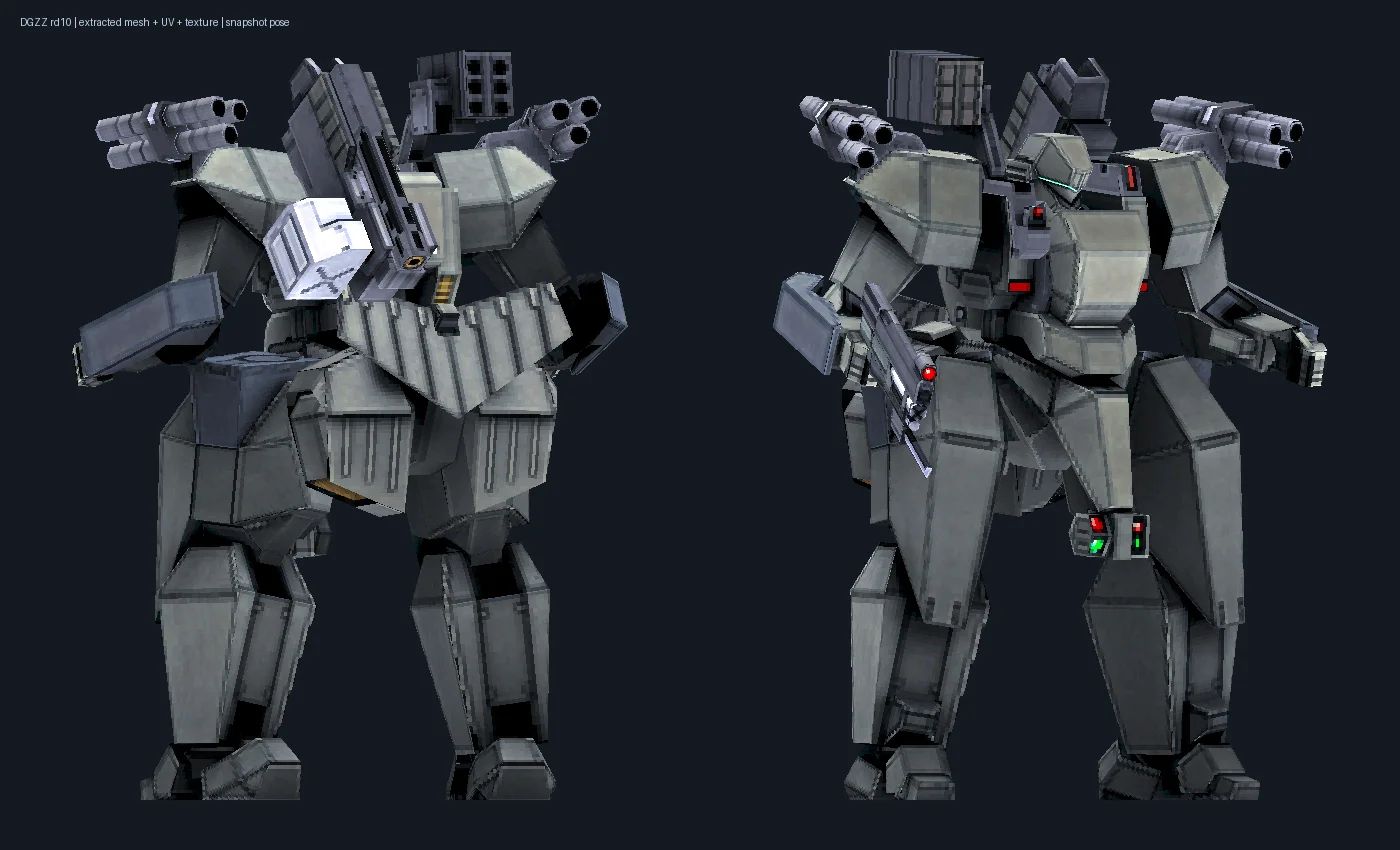
DA-01
01 / 23

DA-01

Lacking in performance and with no armor implementations against any form of attack、this mass production DGunner is not suited for advanced operations.

FAQ

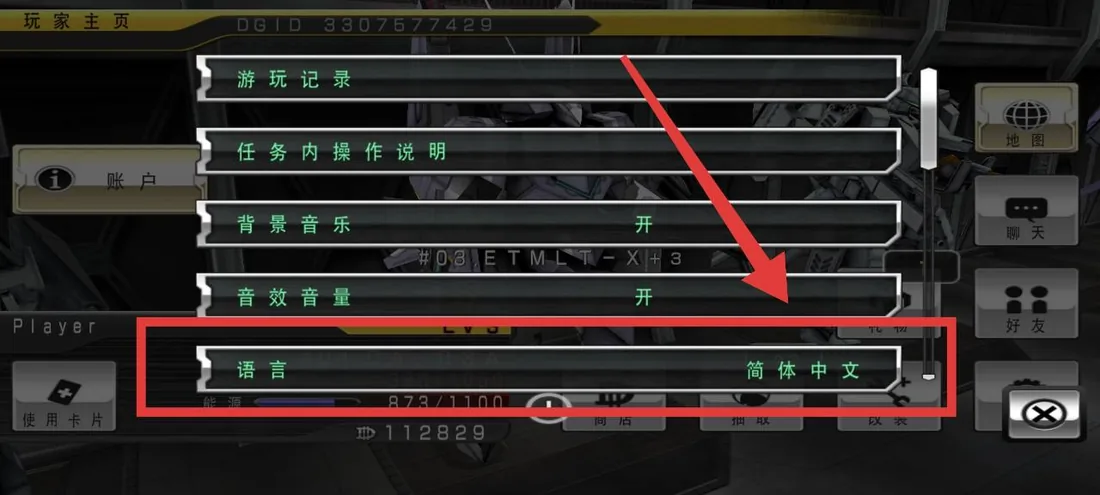
How to change the game language
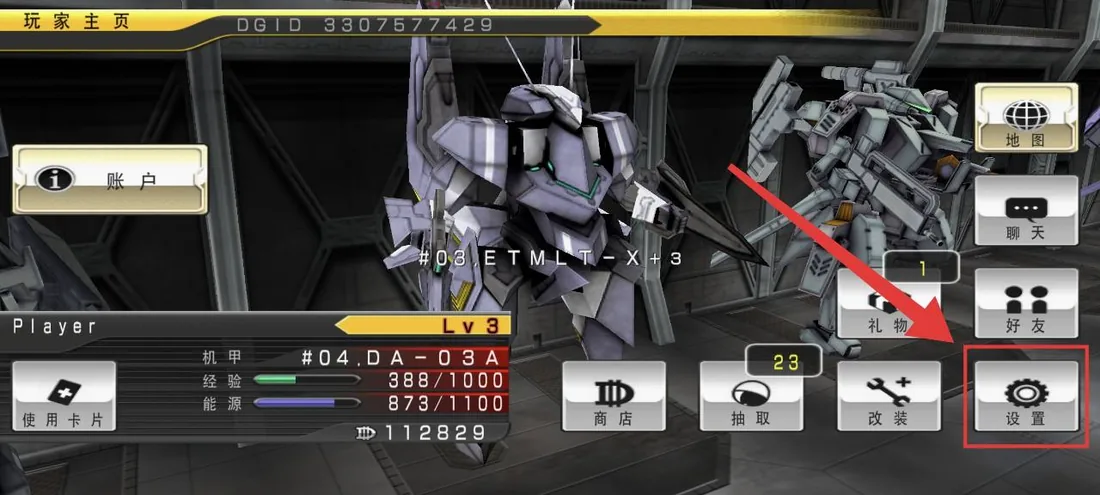
  1. In the lobby, tap Settings (设置) at the bottom right.

    In the lobby, tap Settings (设置) at the bottom right.
  2. Find Language (语言) and tap to cycle through 简体中文, English and 日本語.

    Find Language (语言) and tap to cycle through 简体中文, English and 日本語.
  3. Close Settings and choose Restart. The selected language takes effect after restarting.
How do I install if Google Play Protect blocks the APK?

Download from this website and run the recommended Play Protect scan first. If you trust the source and decide to proceed:

  1. If Android blocks unknown apps, allow installation from the browser or file manager you are using in system settings.
  2. If the warning offers More details → Install anyway, you can continue there. This option is not available for every warning.
  3. To temporarily disable scanning: Play Store → profile icon → Play Protect → Settings → turn off Scan apps with Play Protect. Turn it back on after installation.
What if the game crashes or reports a save error?

Confirm your progress is synced, or back up your local save first. Uninstalling and clearing folders deletes unsynced local progress.

  1. Uninstall the previously installed game version.
  2. Check both locations below in internal storage (often shown as 0). Remove remaining game folders, including .compat and .compat2 from older compatibility tests. Delete only these game folders, not the entire data or Android/data folder.
    • /storage/emulated/0/data/net.gree.android.pf.greeapp58559a/
    • /storage/emulated/0/data/net.gree.android.pf.greeapp58559a.compat/
    • /storage/emulated/0/data/net.gree.android.pf.greeapp58559a.compat2/
    • /storage/emulated/0/Android/data/net.gree.android.pf.greeapp58559a/
    • /storage/emulated/0/Android/data/net.gree.android.pf.greeapp58559a.compat/
    • /storage/emulated/0/Android/data/net.gree.android.pf.greeapp58559a.compat2/
  3. Reinstall the version from this website, then sign in to your original account to restore synced progress.
What if the account or chat panel will not open?

Try the test build with built-in GeckoView. It can be installed over the existing game and requires Android 8.0 or later. If the problem persists, share your phone model and an error screenshot.

Download GeckoView test build · Build142

What if the system installer reports incompatibility or a target SDK that is too low?

The current community release includes the compatibility test changes. Download the regular release. The game still uses a 32-bit engine and requires a device that supports 32-bit apps; 64-bit-only systems cannot run it.

Offline Versions

The original service ended years ago. These offline versions were made so players can continue enjoying the game.

3.0.0cx

All-mecha unlock edition, based on 3.0.0b.

Release notes

Destroy Gunners ZZ v3.0.0cx (2026-10-28)

  • All 23 original playable mecha are unlocked.
  • Based on v3.0.0b; retains its offline play and free in-app purchases.
  • Existing progress, equipment and currency are preserved.
  • Includes a shop memory fix for the full mecha roster.

3.0.0b

Offline edition.

Release notes

Destroy Gunners ZZ v3.0.0b (2026-04-10)

  • Cracked IAP: You can buy gold and items for free.
  • Fixed the "could not update information" dialog issue.
  • Direct overwrite installation supported. The application may crash on the first launch after updating.
  • Note: Occasional crash after IAP (normal behavior, doesn't affect gameplay).

Offline Patch

  • Fan-made and free to share.

Compatibility

  • Tested on Snapdragon 8 Gen 3; devices without 32-bit app support may crash.

3.0.0bx

Offline edition without coin-based in-app purchases.

Release notes

Destroy Gunners ZZ v3.0.0bx (2026-04-10)

  • Original Difficulty: No IAP crack included.
  • Perfect for players who enjoy a real challenge.
  • Fixed the "could not update information" dialog issue.
  • Fixed the crash when tapping in-app purchase buttons.
  • Direct overwrite installation supported.

Compatibility

  • Tested on Snapdragon 8 Gen 3; same compatibility as Version B.

3.0.0a

Earlier offline edition.

Release notes

Destroy Gunners ZZ v3.0.0a (2026-03-22)

  • The original service ended years ago. This offline edition was made so players can keep enjoying the game.
  • Play without the original servers. All original rights remain with their respective owners.

Offline Patch

  • Fan-made and free to share.

Known Bugs

  • "Could not update information." dialog appears 2-3 times on launch. Just tap through — it won't affect gameplay.
  • Tapping in-app purchase buttons causes a crash.

Compatibility

  • Tested on Snapdragon 8 Gen 3; devices without 32-bit app support may crash.
ScareSoul
ScareSoul Offline Cracked Edition
Open

About

This site is currently under construction. Our goal is to build a community hub for the Destroy Gunners series.

Feel free to reach out: wyhshines@gmail.com